
Failure Inbox
The Failure Inbox is the primary investigation queue. It is not a permanently open trace viewer and does not require you to select every raw trace before creating an eval.
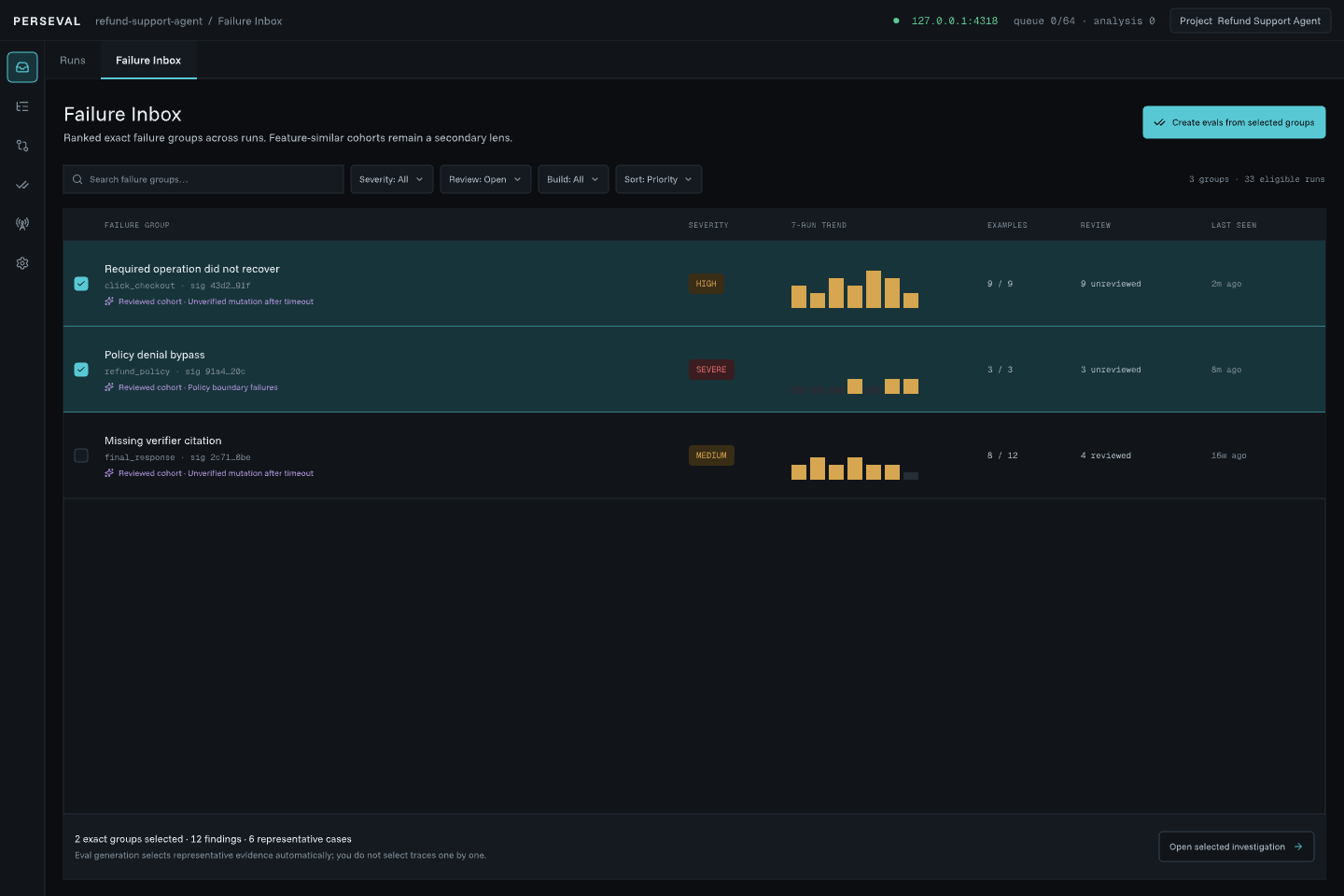
Read a group row
Section titled “Read a group row”Each row summarizes an exact signature with:
- severity and review state;
- occurrence and eligible-run counts;
- recurrence rate and trend;
- recovered, unrecovered, and unknown-recovery counts;
- affected project/build/session scope;
- similar-feature cohort metadata when enabled.
Open a row to investigate one concrete occurrence while preserving the group context.
Filters and sort
Section titled “Filters and sort”Use project, environment, build, session, severity, recovery, review state, and time scope to define the population. Sorting is deterministic. Saved views retain useful project-specific combinations.
Reset filters when the empty state says results were filtered out. If the selected project has no finalized analysis-ready runs, return to Sources or Runs instead.
Select several groups
Section titled “Select several groups”Use the group checkboxes to create eval candidates in bulk. Selection stays in the Inbox; clicking a checkbox does not open Investigation. The bulk action shows the exact number selected.
The preview proposes a bounded representative candidate for each eligible group and reports existing or excluded definitions before anything is created. You do not need to select every trace manually.
Review state
Section titled “Review state”Finding review is explicit and reversible. Confirmed, dismissed, needs-context, and unreviewed states stay attached to immutable finding and detector identity. A changed detector definition produces new analysis rather than silently rewriting a prior review.
Empty-state troubleshooting
Section titled “Empty-state troubleshooting”Errored runs but no actionable groups
Section titled “Errored runs but no actionable groups”This usually means the detector intentionally abstained. Open an errored run in Full Trace and select the span. The Finding inspector lists missing operation, requiredness, result, effect, retry-safety, or state facts as applicable.
Group disappeared after a scope change
Section titled “Group disappeared after a scope change”Check project, environment, build, session, and time scope. Review and eval mutations require one explicit project, while All Projects is read-only.
Live run has not appeared
Section titled “Live run has not appeared”Analysis waits for a finalized revision. Check Lifecycle and live traces.
Keyboard and focus
Section titled “Keyboard and focus”Inbox selection and range selection use stable IDs. Resynchronization does not retarget focus to another group. Previous/Next operate on concrete examples only after opening Investigation.