Privacy and storage
Perseval is local-first. The GUI, embedded OTLP receiver, analysis engine, and default MCP server operate against one local workspace.
Workspace layout
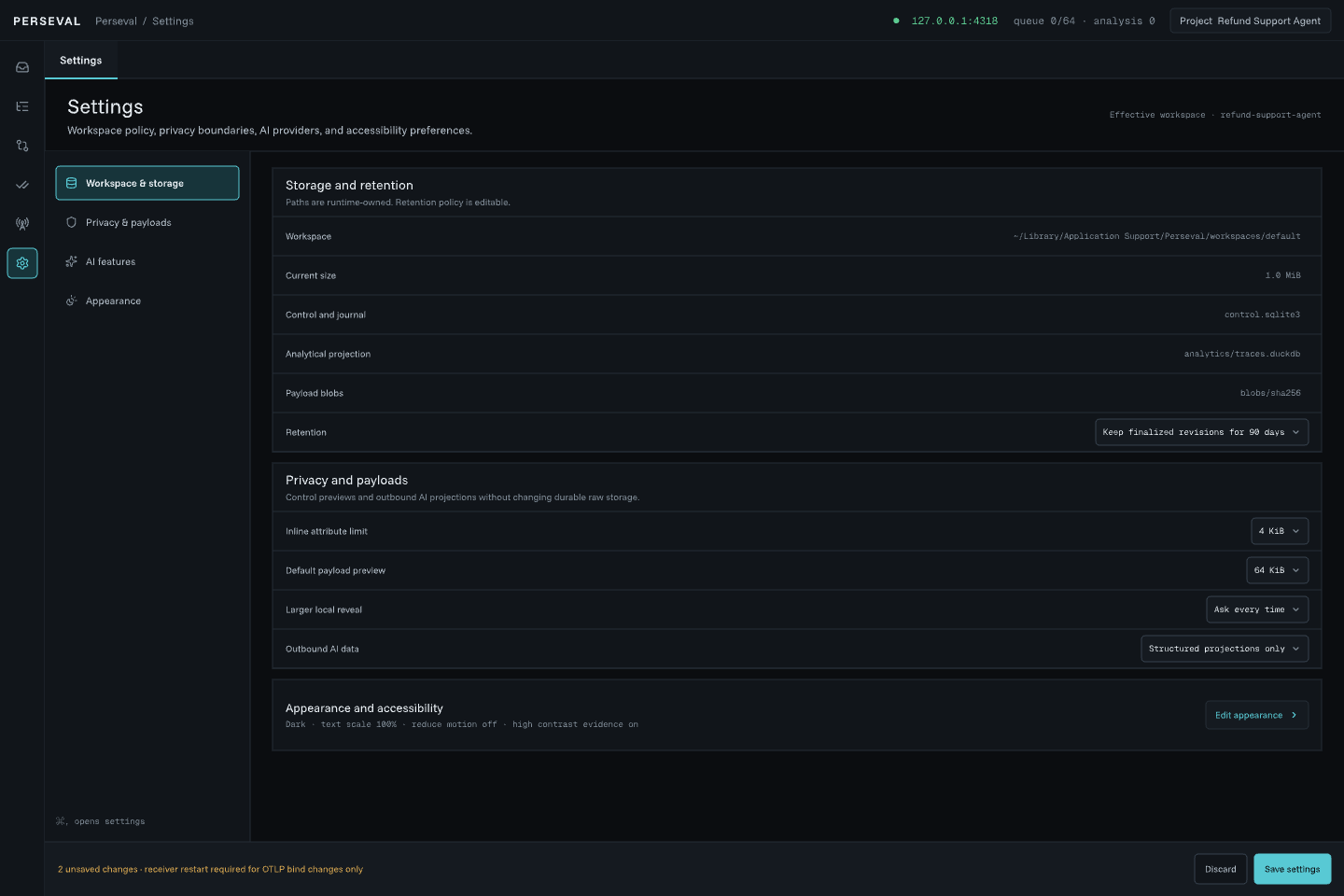
Section titled “Workspace layout”Settings → Workspace shows the effective path. Inside it, Perseval separates:
- SQLite WAL control state, ingest journal, lifecycle, outbox, review, and analysis metadata;
- DuckDB canonical span projections, summaries, topology, events, links, and filter columns;
- compressed content-addressed files for exact wire payloads, normalized batches, and large or sensitive payload-like values;
- private workbench state.
One workspace writer owns both write connections. Readers use bounded queries and never take ownership from the GUI.
File permissions and durability
Section titled “File permissions and durability”Configuration and workspace directories are created with private user permissions where the platform supports them. Blob files are written to a temporary path, synchronized, and atomically renamed before the journal transaction references them.
Identical content reuses the same SHA-256 path. Orphan blobs after an interrupted pre-journal write are safe, but automatic garbage collection is not enabled yet.
Payload externalization
Section titled “Payload externalization”Known prompt, message, input, output, reasoning, source-code, and tool-payload attributes always become blob references. Unknown values larger than 4 KiB also become blob references.
Externalization limits automatic display and analytical exposure. It is not redaction or encryption. Do not send secrets in telemetry.
Reveal policy
Section titled “Reveal policy”The GUI requires an explicit action for a bounded local preview. The standard preview is at most 64 KiB. Larger local reveal is disabled by default and, when enabled, remains bounded by workspace policy.
The default MCP server cannot reveal payload bodies.
Optional hosted analysis
Section titled “Optional hosted analysis”Hosted features are off by default. Safe projections exclude payload blobs and secret configuration. OPENAI_API_KEY remains environment-only. See Feature similarity and hosted analysis.
Retention
Section titled “Retention”Perseval currently keeps all finalized and reopened revisions until an explicit cleanup policy exists. It does not silently delete trace or payload data behind your back.
Removing the application does not remove the workspace. To delete data, record the effective workspace path in Settings, quit Perseval, back up anything required, then remove the workspace manually. There is no in-app destructive delete control yet.
Threat boundary
Section titled “Threat boundary”- The OTLP receiver is loopback-only.
- MCP uses stdio and a private user-only owner socket.
- Local processes running as the same user may still access user-readable files.
- Payloads are not encrypted at rest by Perseval.
- A custom workspace on a synced or shared folder inherits that folder’s exposure.
Choose the workspace location and telemetry content accordingly.